WhisperDictate turns your voice into text without the customary detour through someone else's server. It sits in the menubar, runs Whisper on your own Mac, and pastes what you said into whichever app you were in when you started talking. Press the hotkey to start and again to stop, or switch on hold-to-dictate and use it like a walkie-talkie, for those who prefer their dictation with a sense of occasion.
Pick from base, small, medium, and large-v3-turbo models, accelerated by Metal on Apple Silicon. The bigger ones spell your colleagues' names right more often; the smaller ones answer faster. For the jargon no model will ever guess, there is a vocabulary list, which is cheaper than changing your colleagues.
Your recordings and transcripts never leave the machine. Nothing is uploaded, nothing is written to disk, and nobody trains a model on your grocery list, which in 2026 apparently qualifies as a feature rather than a baseline expectation.
It also understands that silence is not a request to type "Thank you.", a phrase Whisper picked up from a great many subtitled videos and will otherwise deliver, with total sincerity, to an empty room.
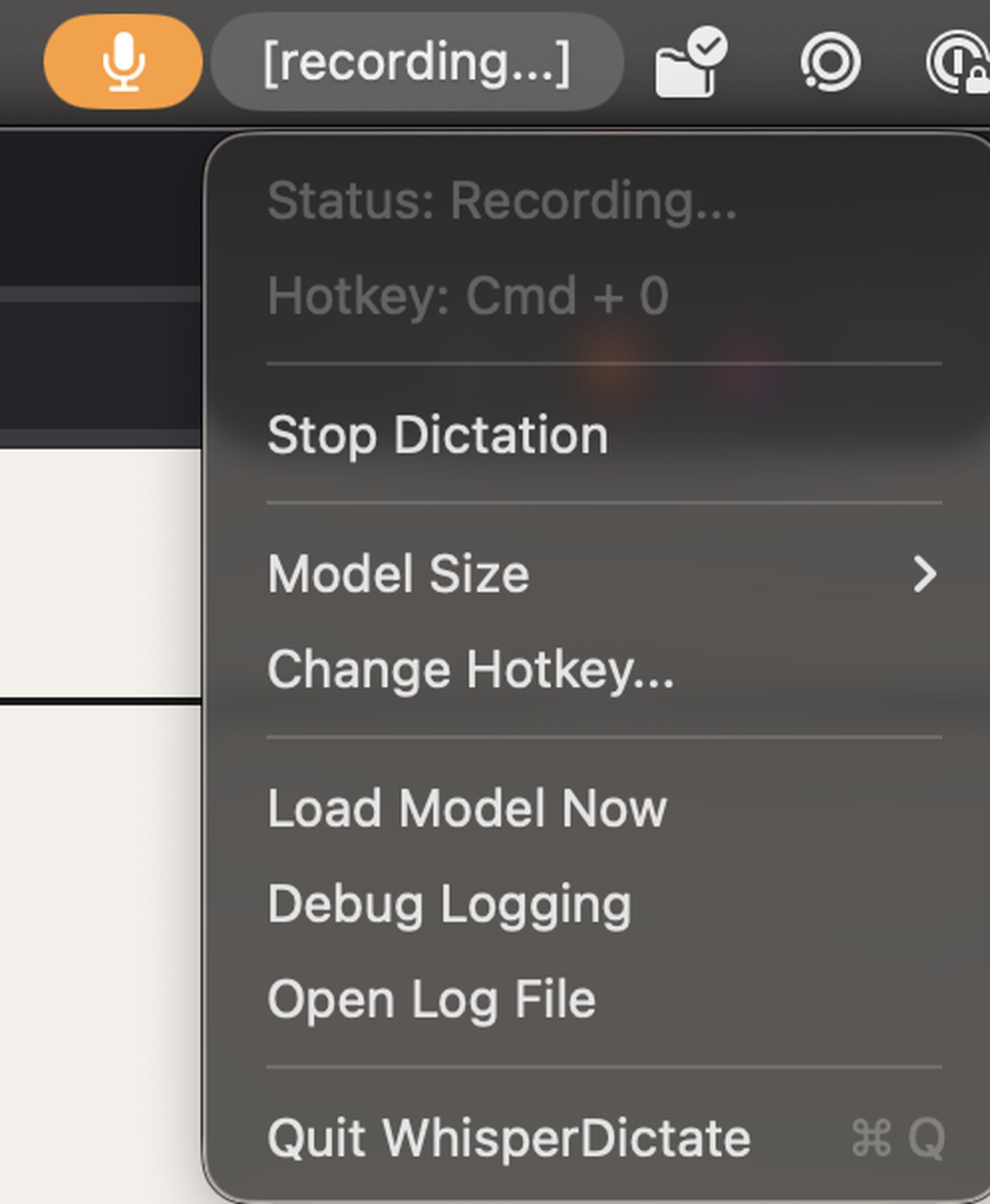
The screenshot here doesn't show much because the app lives entirely in the menubar. Lean and clean.
Download for macOSv0.9.9 beta